
The chat panel
Near the top of your family page, you’ll see a 💬 Chat · Last 48 hours section. It mirrors the Telegram channel for your athletes’ calendar(s) so you can read coach announcements without leaving the page.
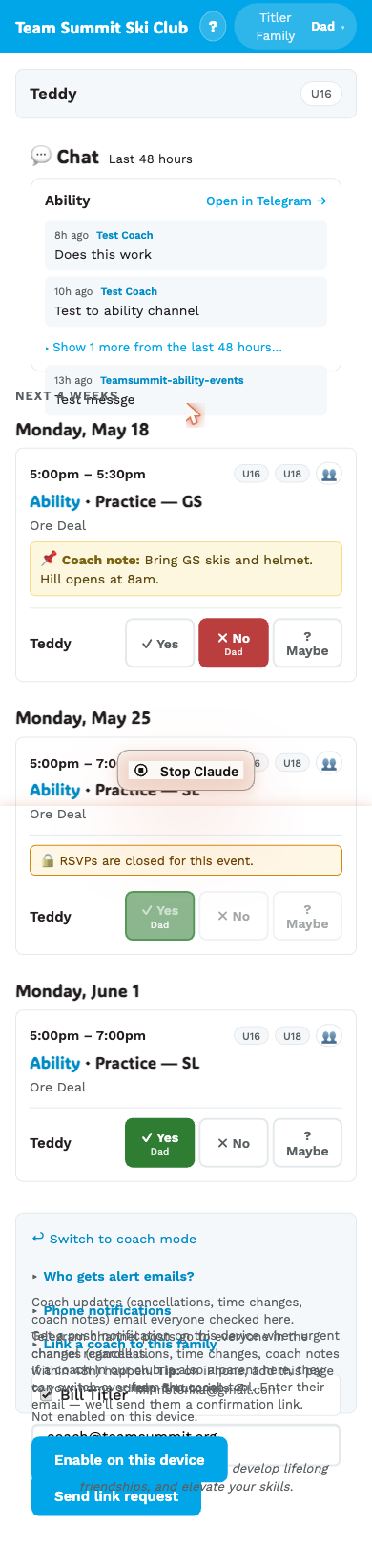
One card per calendar
If your athletes are in multiple calendars (e.g. one kid in Age Class and another in Ability), you’ll see one card per calendar.
Each card shows:
- Calendar name (Age Class, Ability, FIS)
- Open in Telegram → — link to join / open the channel in the Telegram app
- Last 2 messages in the channel from the past 48 hours
- “Show N more from the last 48 hours…” to expand the rest
What you’ll see
- Bot posts when events change: time changes, cancellations, coach notes. Posted automatically by the system.
- Coach posts — manual broadcasts (“Weather report: blizzard tonight, we’re in the lodge.”).
- Your own quick-messages (“Out sick”) — yes, these also show up in your chat panel because they go through the same channel. Other parents in the calendar see them too.
What you won’t see
- Posts older than 48 hours fall off.
- Direct messages between the coach and any other parent.
- Posts from channels you’re not part of (your athletes’ calendars only).
How to respond
The Telegram channels are admin-broadcast — only the coach can post. There’s no general parent-to-channel reply.
For event-specific replies, use the quick-message buttons on the event card itself (“Out sick”, “Running late”, “Other”). Those go straight to your coach without spamming every family.
For something off-topic or longer than a quick message, contact the coach directly (text, email, or a DM in Telegram).
Click Open in Telegram → if you just want to read posts in the Telegram app and get native phone notifications — see Joining the Telegram channel.